Registration Requirements
What it does
Section titled “What it does”Sets up your sign-up form in two parts.
Player ID - what a player signs up and signs in with:
- Username: the player picks a username. They can also sign in with their phone number, if they gave one.
- Phone number: the player signs up with their phone number. The phone field is then always required.
Fields on the sign-up form - each extra field has one setting:
- Hidden: not asked.
- Optional: asked, and the player can skip it.
- Required: the player cannot sign up without it.
The fields are Email, Full name, Date of birth, Phone number, Bank account and Referral code. A line beside each one says what the player sees with the current setting. Two notes:
- Full name hidden, or Optional and left empty, is taken from the bank account holder’s name when the player gives a bank account.
- Referral code hidden still counts a code from a referral link; it only hides the field where a player types one in.
Promotions consent is Hidden or Optional. Optional shows an unticked box, “Send me promotions and offers”. It is never ticked for the player, and it cannot be required.
Where to find it
Section titled “Where to find it”Site Settings -> Registration Requirements
Common tasks
Section titled “Common tasks”- Choose Username or Phone number as the Player ID.
- Set each field to Hidden, Optional or Required.
- Every change saves at once - there is no Save button.
What the player sees
Section titled “What the player sees”The sign-up form asks in two short steps:
- Your account - the username or the phone number, the password, and the phone and email when you ask for them. With registration OTP on, a code is sent to the phone here. With Phone number as the Player ID, the email is asked in the second step instead.
- Where we send your winnings - the bank account and the other fields you turned on. Without a bank account this step is called About you. The bank comes first (bank, account holder, account number). Full name, date of birth, referral and a phone-mode email follow under a small About you heading, and the promotions box comes last.
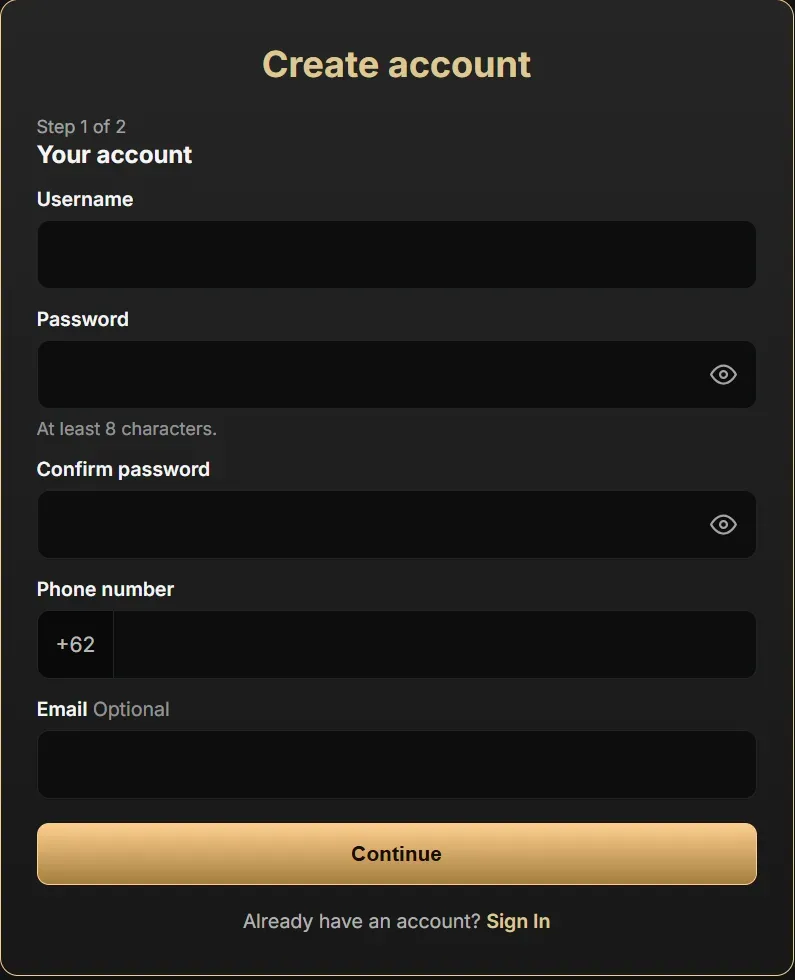
When the second step would be empty, the form is one step. An Optional field carries an Optional tag; a Hidden field is not shown at all. The Modern and New Modern sign-up forms end with a step that shows the details back before the account is created.
The sign-in form has one field: Phone number or member ID when the Player ID is Phone number, Username when it is Username. A player who registered a phone can still sign in with it there.
Member ID and usernames
Section titled “Member ID and usernames”With Phone number as the Player ID, each new player gets a member ID, for
example LUXA000123, as their username. The sign-up form ends by showing it,
and the player’s profile shows it as Member ID. The player signs in with the
member ID or the phone number, so staff can find a player by member ID without
seeing the phone.
A new username cannot be a phone number or hold 8 or more digits in a row, at sign-up and in Add Player. Staff see usernames everywhere, so a phone in one would show to every staff member. Usernames made before this rule stay as they are.
On the player’s own pages the phone number shows only its first and last three
digits, for example 081****678.