Bet details
What it does
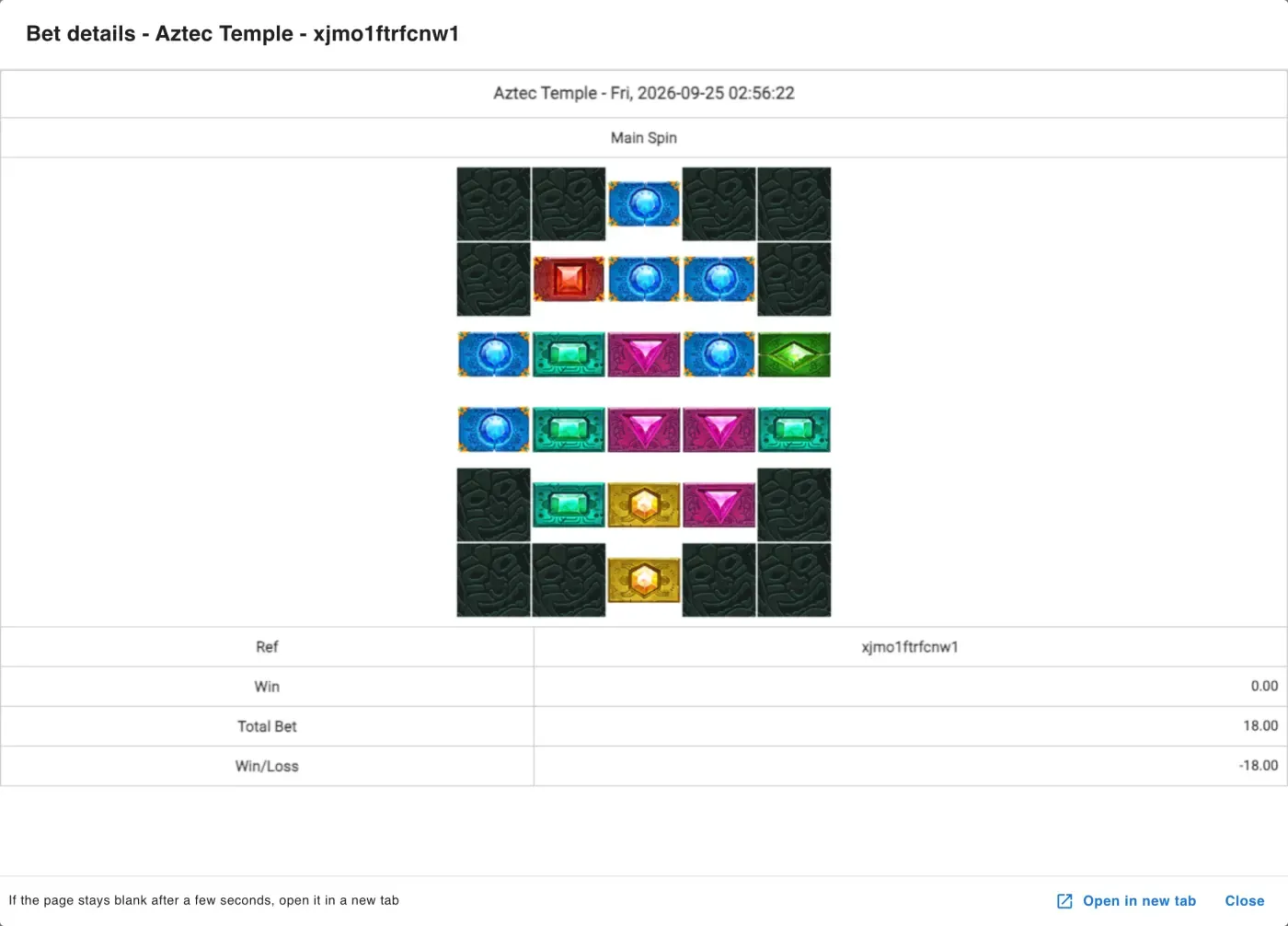
Section titled “What it does”Bet details opens the game provider’s own result page for one bet (one round) of a player. The page comes from the provider, not from this panel, so it shows the round the way the game saw it - for example the reels, the cards, or the bet the player picked, and what it paid.
Use it when a player asks about a result, or when you want to check a win or a loss yourself.
Where to find it
Section titled “Where to find it”Player -> Player List
- Open the player.
- Go to the Game History tab.
- In the round’s row, click the button in the Bet details column.
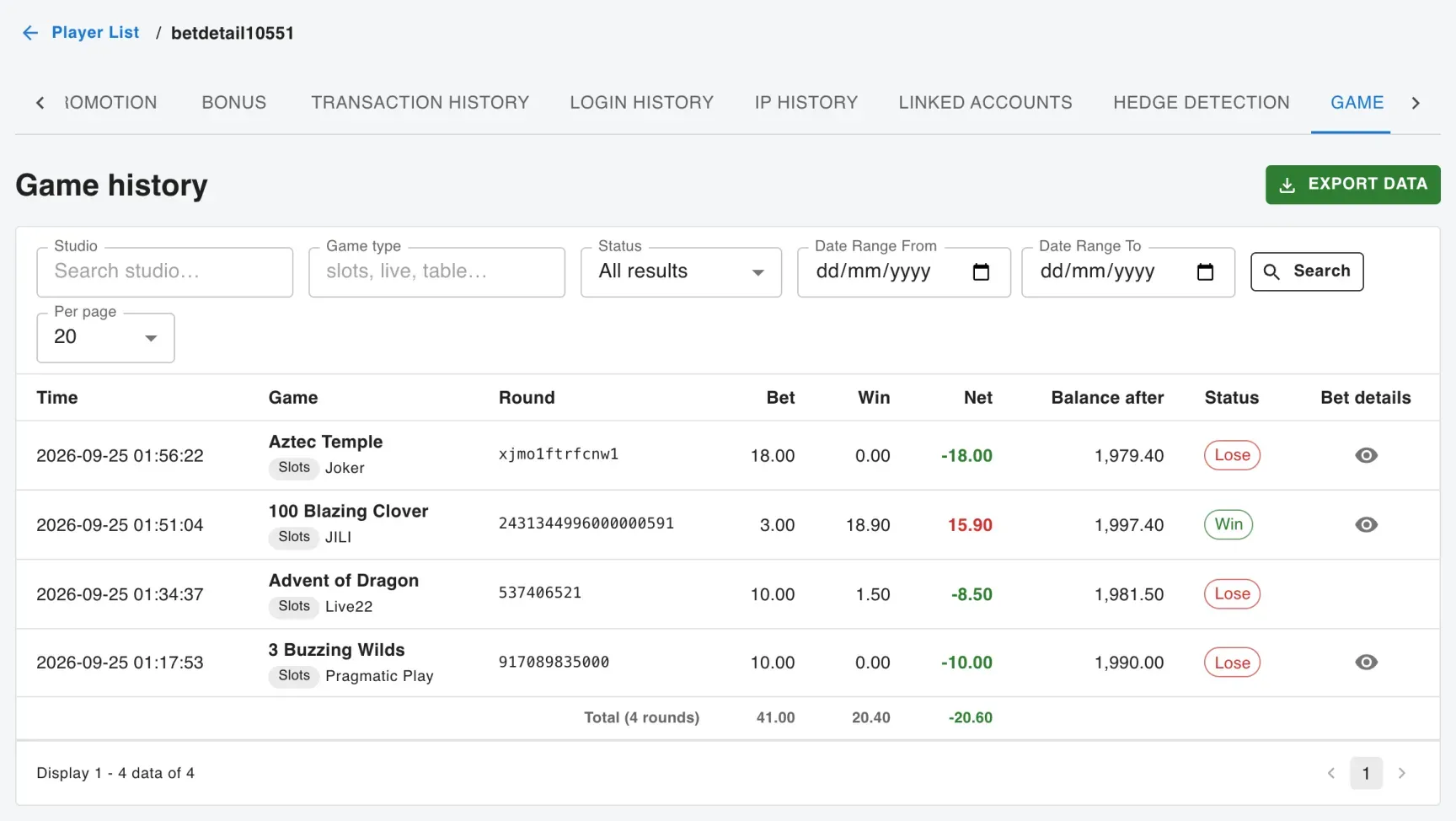
The result page opens in a window on top of the panel. Close it with Close, or click outside it, to go back to Game History. The Esc key may not work while you are clicking inside the provider’s page. To see the page in its own browser tab instead, click Open in new tab at the bottom of the window.
Which providers support it
Section titled “Which providers support it”The button shows only on rounds from providers that have a result page:
- AWC Sexy (CRSexy)
- BTG
- ClotPlay
- CQ9
- EpicWin
- Funky
- JDB
- JILI
- Joker
- KA
- KM
- Live22
- PP (Pragmatic Play), including Fat Panda
- RSG
For other providers the row has no button: their vendor has no result page to open. If your site has none of these providers, the Bet details column is not shown at all.
A listed provider also shows no button when Bet details is not switched on for your site’s account with that provider - like Live22 in the picture above.
What you may see
Section titled “What you may see”- “Bet details are not available for this game” - the provider has no result page for this game or this kind of round, even if it has one for others.
- “The provider has no details for this round” - the provider cannot find this round, most often because it no longer keeps it. Some providers keep results only for a limited time; AWC Sexy keeps them for about 7 days, so older rounds show this message.
- “The provider did not answer - try again” - the provider did not reply in time. Wait a moment and click again.
- A blank window - some provider pages take a few seconds to load, and a provider may refuse to show its page inside the panel at all. If the window stays blank, click Open in new tab. If your browser blocks the new tab, allow pop-ups for the panel and click again.
- JDB: “Too Many Requests” - JDB’s page refuses when many results are opened within a few seconds. Wait about 30 seconds and open it again.
- Joker: a different time - Joker’s page shows the round time in its own time zone, so it can differ from Game History (by one hour in the pictures above). Compare the Ref number and the amounts instead.
- Live22: a different transaction number - Live22’s page shows its own transaction id, which can differ slightly from the one in Game History. Compare the time, the game and the amounts instead.
- RSG: free spins and bought features are one round - free spins, cascades and a bought feature belong to the spin that started them, so Game History shows them as one row, with the total bet and win. There is no separate row for each free spin.
- RSG: the link works only once - the page that opens can be reloaded, but opening the same link a second time shows “Connection Timed Out”. To see the page again, click the button in the panel again. Anyone with the address of the page that opens can see the round, so do not share it.